What Equipment Do You Need for Trombone Online Lessons?
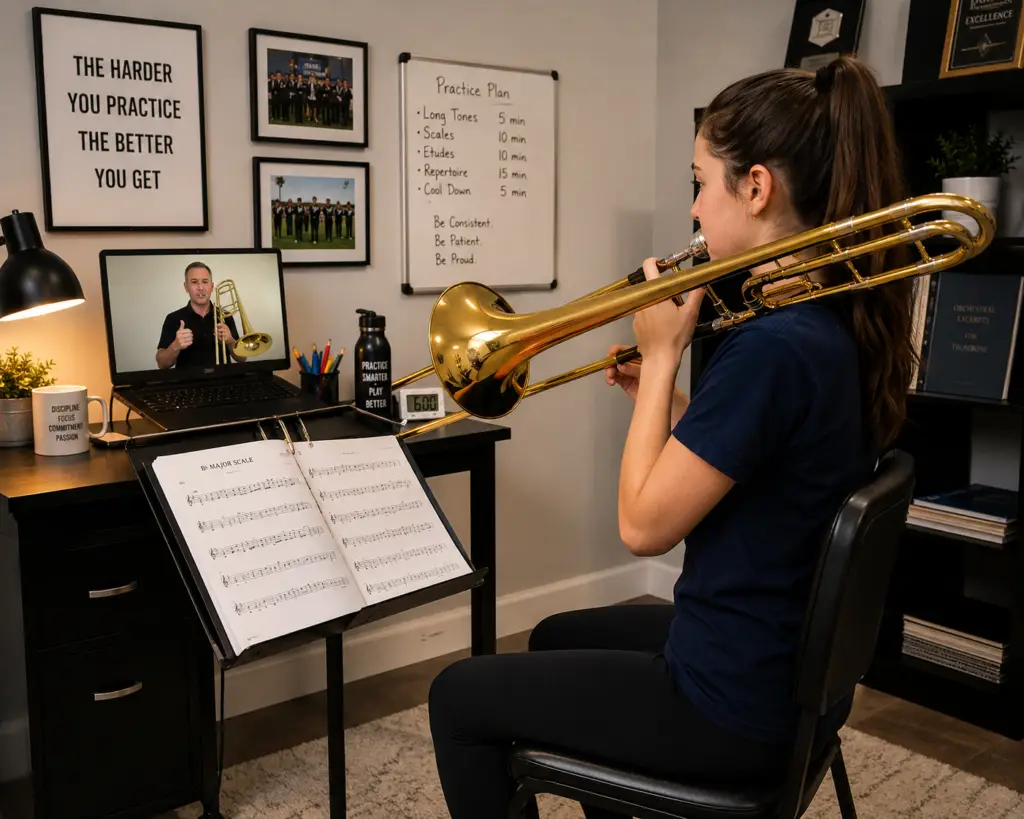
What equipment do you need for trombone online lessons is a common question for students taking lessons. Whether you’re a complete beginner, a middle school student, an adult returning to music, or an experienced player looking to improve, you probably already have most of the equipment you need.
One of the biggest misconceptions about online music lessons is that they require expensive technology. Fortunately, that’s simply not true. In most cases, a reliable internet connection, a computer or tablet, your trombone, and a quiet place to practice are all you need to get started.
This guide explains the essential equipment for successful online trombone lessons, along with a few optional upgrades that can make your learning experience even better.
For a complete overview of private online instruction, see my Online Trombone Lessons: Complete Guide.
Let’s get started!
Disclaimer
This article contains Amazon Affiliate Links. What this means, is that, at no cost to you, if you click a link and follow through with a purchase, this site may earn a small commission.
Why Having the Right Equipment Matters
Online lessons are much more than video calls. Your teacher needs to hear your sound clearly and see your playing from different angles to provide meaningful feedback.
Good equipment allows your instructor to evaluate:
- Tone quality
- Embouchure
- Posture
- Breathing
- Slide technique
- Hand position
- Articulation
- Rhythm
- Musical expression
The better your teacher can hear and see you, the more personalized and effective your lessons will be.
Fortunately, you don’t need professional recording equipment to accomplish this.
Essential Equipment Checklist
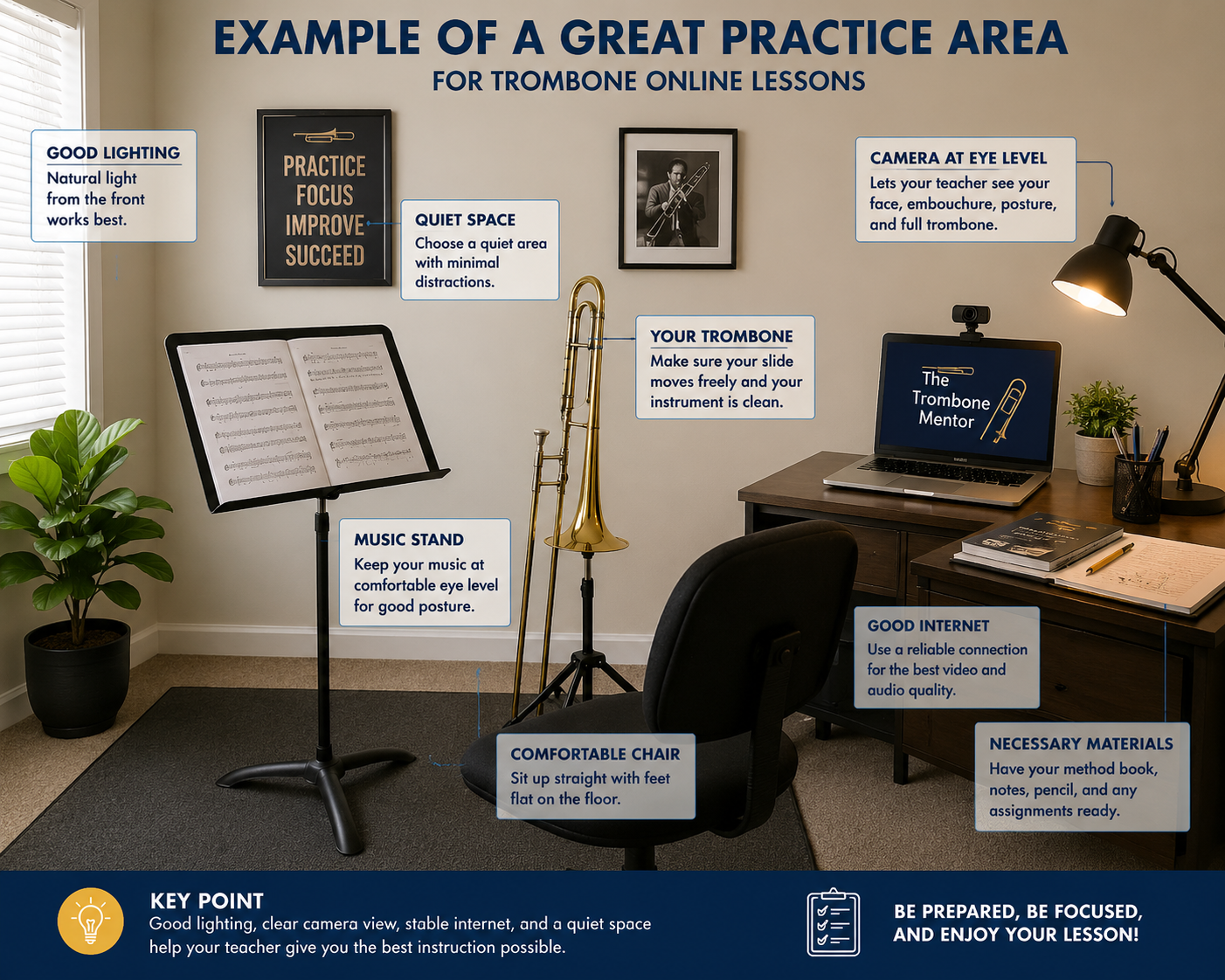
Before your first lesson, make sure you have the following:
- A trombone in good playing condition
- A properly fitting mouthpiece
- A sturdy music stand
- Metronome/Tuner
- A desktop computer or laptop
- A reliable internet connection
- A webcam or built-in camera
- A microphone (built-in is usually sufficient)
- Good lighting
- A quiet practice area
- Your lesson books or digital music
If you have these items, you’re ready to begin learning.
For step-by-step help arranging your equipment, camera, lighting, and practice space, see my Online Trombone Lesson Setup Guide: What You Need for Success.
Your Trombone
The most important piece of equipment is, of course, your instrument.
Whether you’re playing a student model or a professional trombone, what matters most is that it functions properly.
Before your lesson, check that:
- The slide moves smoothly.
- The tuning slide moves freely.
- The mouthpiece fits securely.
- Your instrument is clean.
- You have slide lubricant available if needed.
If your trombone has mechanical issues, your teacher can often identify them during your lesson and recommend possible solutions.
Remember, beginners do not need an expensive instrument to start learning successfully.
If you’re just getting started, see my Beginner Trombone Guide: Everything You Need to Know for additional help choosing equipment and learning the fundamentals.
Choosing the Best Device
When talking about what equipment do you need for trombone online lessons, most online lessons work on a desktop, laptop, tablet, or smartphone.
Desktop or Laptop
For many students, a desktop provides the best overall experience.
Advantages include:
- Large screen
- Stable camera placement
- Easy viewing of digital music
- Comfortable lesson setup
A desktop also makes it easier to position the camera so your teacher can observe your entire playing position. A laptop is equally useful. The only negative would be the size of the screen.
Tablet
Tablets have become increasingly popular for online music lessons.
Benefits include:
- Excellent camera quality
- Portable design
- Easy touch controls
- Flexible positioning
Many students find tablets to be the ideal balance between portability and screen size.
Smartphone
Modern smartphones produce excellent video quality.
While they work well, their smaller screens can make it harder to view music and communicate comfortably during lessons.
If using a phone, place it securely on a stand rather than holding it in your hand.
My Recommendation
For an online trombone lesson, you want to produce the best settings for both the student and the teacher. I highly recommend the desktop or laptop.
A Reliable Internet Connection
A stable internet connection helps your lesson run smoothly.
Poor internet connections can result in:
- Frozen video
- Delayed audio
- Choppy sound
- Dropped connections
Whenever possible:
- Connect near your Wi-Fi router.
- Limit streaming by other family members during lessons.
- Use a wired Ethernet connection if available.
Even average home internet service is usually sufficient for successful online lessons.
Webcam
Your teacher needs to see more than just your face.
Ideally, your camera should show:
- Your upper body
- Your trombone
- Your slide movement
- Your embouchure
- Your posture
Most built-in webcams work perfectly well.
If you decide to purchase an external webcam, look for one that offers clear HD video and flexible positioning.
Microphone
Many students are surprised to learn that the built-in microphone on a laptop or tablet often provides excellent sound quality.
An external microphone can improve audio clarity, especially for advanced students, but it isn’t required.
To get the best sound:
- Keep the microphone several feet away from the bell.
- Avoid pointing the bell directly at the microphone.
- Reduce background noise whenever possible.
These simple adjustments help your teacher hear your natural tone more accurately.
Good Lighting Makes a Big Difference
Lighting is often overlooked, but it’s one of the easiest ways to improve online lessons.
Your teacher should be able to clearly see:
- Your face
- Your embouchure
- Your hands
- Your posture
Natural light from a window in front of you works very well.
Avoid sitting with a bright window behind you, as this creates a silhouette that makes it difficult to observe your playing.
If natural light isn’t available, adding a desk lamp or floor lamp in front of you can dramatically improve visibility.
Use a Proper Music Stand
A quality music stand helps maintain good posture throughout your lesson.
Avoid placing music on:
- Tables
- Chairs
- Beds
- Your lap
The music should be positioned at a comfortable height that allows you to keep your head up while playing.
Proper posture improves breathing, tone production, and overall playing comfort.
Create a Quiet Practice Space
You don’t need a professional music studio to take online lessons.
A quiet room with minimal distractions works perfectly.
Before each lesson:
- Turn off televisions.
- Silence your phone.
- Close the door if possible.
- Let family members know you’ll be practicing.
A distraction-free environment allows both you and your teacher to stay focused throughout the lesson.
Keep Your Lesson Materials Organized
Having your materials ready before each lesson saves valuable instructional time.
Depending on your level, you may need:
- Beginning method books
- Scale studies
- Warm-up exercises
- Etudes
- Solo music
- Printed assignments
- Digital PDF music
- A pencil for marking music
- A notebook or practice journal
Many teachers also share digital materials that can easily be viewed on a computer or tablet.
Optional Equipment That Can Improve Your Lessons
Although not essential, a few additional items can make online lessons even more convenient.
Headphones
Headphones can improve communication during discussions and playback of recordings.
Most students remove them while playing, but they are useful when listening to instructions or demonstrations.
External Speakers
If your device has small speakers, external speakers can make your teacher easier to hear.
This is particularly helpful when listening to recordings or accompaniment tracks.
Tablet or Phone Stand
A dedicated stand makes camera placement much easier.
It also prevents shaky video and allows you to adjust the viewing angle quickly.
Second Camera
Some advanced students enjoy using a second camera to provide side views of their playing.
This can help your teacher evaluate:
- Slide technique
- Hand position
- Posture
- Breathing mechanics
While helpful, a second camera is certainly not necessary for most students.
Setting Up Your Camera
A few simple adjustments can greatly improve your online lessons.
Position your camera so your teacher can see:
- Your head and shoulders
- Both hands
- The entire trombone
- Most of the slide during movement
Place the camera at approximately eye level.
Avoid pointing the camera upward from a desk or downward from a shelf.
Testing your camera a few minutes before your lesson begins helps ensure everything is working properly.
Common Mistakes to Avoid
Many first-time online students make the same setup mistakes.
Try to avoid:
- Sitting in a dark room
- Having a bright window behind you
- Holding your phone during the lesson
- Allowing your music stand to block your face
- Sitting too close to the camera
- Playing in a noisy environment
- Starting the lesson before testing your internet connection
Small improvements can make a significant difference in lesson quality.
Frequently Asked Questions
Do I need expensive equipment?
No. Most students already own everything they need to begin online trombone lessons.
Can I take lessons using my phone?
Yes. A tablet or laptop usually provides a more comfortable experience, but smartphones work well for many students.
Do I need a professional microphone?
Not at all. Built-in microphones are often more than adequate for online instruction.
What if my internet connection isn’t perfect?
Minor interruptions occasionally happen, but most home internet connections work very well for online lessons.
Can complete beginners learn online?
Absolutely. Beginners often benefit greatly from one-on-one online instruction because every lesson is personalized to their individual needs and learning pace.
Ready to Take Your Trombone Playing to the Next Level?
Whether you are just starting trombone or looking to strengthen your tone, technique, and musical confidence, private lessons can help you progress faster with clear guidance and personal support.
With The Trombone Mentor, you receive:
• Step-by-step instruction
• Customized practice plans
• Expert feedback and encouragement
• Online lessons you can take from anywhere
Stop guessing and start making steady progress with lessons designed around your goals.
ONLINE TROMBONE LESSONS – Learn Anywhere with a Private Trombone Teacher
Final Thoughts
When thinking about what equipment do you need for trombone online lessons, remember the wide range of options you have. Getting started with online trombone lessons is much simpler than many people expect. You don’t need expensive technology or a professional recording studio—just a reliable instrument, a device with a camera, an internet connection, and a willingness to learn.
As your skills grow, you may choose to upgrade your equipment, but the most important investment you can make is in consistent practice and quality instruction. A knowledgeable teacher can help you develop proper fundamentals, avoid common mistakes, and make steady progress from the very first lesson.
If you’ve been thinking about learning the trombone or taking your playing to the next level, don’t let concerns about equipment hold you back. With a simple setup and personalized guidance, you’ll be well on your way to becoming a more confident and successful trombonist.
About the Author
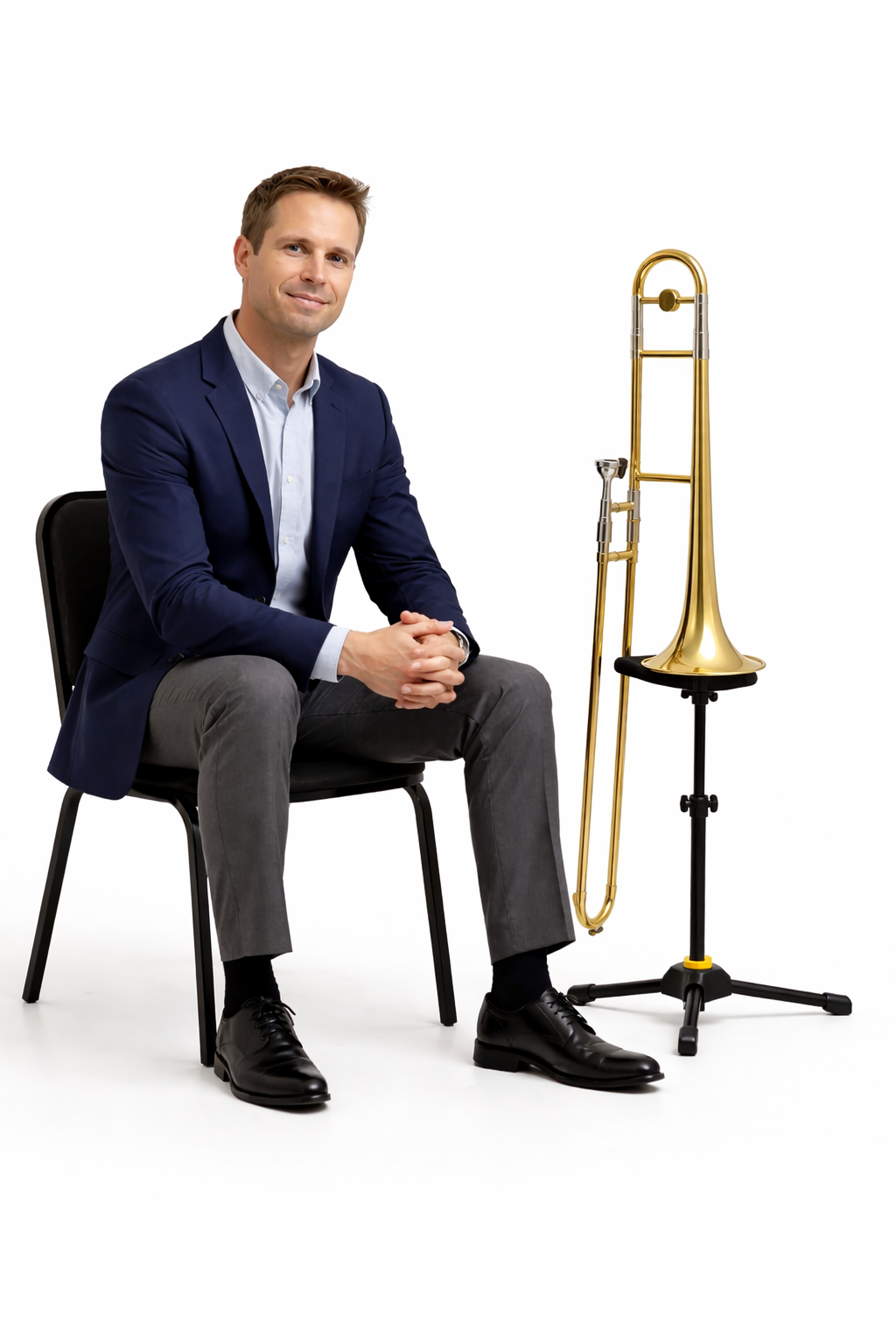
Rick Lawrence is a music educator, conductor, professional trombonist, and private instructor with more than 40 years of playing and teaching experience. He has performed with orchestras, jazz ensembles, brass bands, and pit orchestras, and studied with John Coffey of the Boston Symphony Orchestra, Donald Knaub of the University of Texas, and Edward J. Madden, composer, arranger, trombonist.
Through The Trombone Mentor website, Rick provides online trombone lessons and educational resources for beginner, intermediate, and advanced trombonists.