Online Trombone Lesson Setup Guide: What You Need for Success
Online trombone lesson setup does not need to be complicated or expensive. In fact, many students already own most of the equipment needed for successful online lessons.
As a professional trombonist and teacher, I have taught students of different ages and skill levels through online lessons. I have found that a simple and organized setup helps students learn more effectively, communicate more clearly, and enjoy lessons with less stress.
Some students worry that online music lessons require professional recording equipment or advanced technical knowledge. Fortunately, that is not the case. A reliable internet connection, thoughtful camera placement, and a comfortable practice space are usually enough to create productive and enjoyable lessons.
A good setup allows your teacher to hear your tone accurately, observe posture and slide movement, and provide detailed musical guidance. It also helps you stay focused on learning instead of struggling with technical problems.
Whether you are a beginner taking your first lesson or an experienced player exploring online instruction, this guide explains everything you need to create a successful online trombone lesson setup.
For a broader look at private online instruction, see my Online Trombone Lessons: Complete Guide.
Let’s get started!
Disclaimer
This article contains Amazon Affiliate Links. What this means, is that, at no cost to you, if you click a link and follow through with a purchase, this site may earn a small commission.
Why Your Online Trombone Lesson Setup Matters
Some students assume that lesson setup is only about technology. However, a good setup affects much more than internet quality or camera placement.
Your environment plays an important role in how well you learn.
When lessons run smoothly, students spend more time making music and less time solving technical problems.
Better Sound Quality
Trombone is an instrument with a wide dynamic range and complex tone colors. Teachers listen carefully for many details, including:
- Tone quality
- Intonation
- Articulation
- Breathing
- Dynamics
- Musical phrasing
If sound quality is poor, important details can be difficult to hear.
For example, distorted audio may hide articulation problems or make intonation harder to evaluate. Likewise, excessive background noise can interfere with communication and concentration.
A thoughtful online trombone lesson setup allows your teacher to hear your playing more accurately and provide better feedback.
Better Visibility
Online lessons depend on visual communication as well as sound.
As a teacher, I often need to observe:
- Embouchure formation
- Hand position
- Trombone angle
- Slide movement
- Posture
- Breathing habits
If the camera is poorly positioned, these details may not be visible.
A clear camera angle makes instruction more effective and allows for quicker corrections.
This is especially important for beginners who are learning proper fundamentals.
If you are new to the instrument, you may also find these guides helpful:
Trombone Posture Guide for Beginners
Fewer Technical Problems
Technical problems interrupt momentum.
Frozen screens, weak audio, or unstable internet connections can be frustrating for both teacher and student. Fortunately, many of these issues are preventable.
A simple and organized setup reduces:
- Audio dropouts
- Video freezing
- Connection problems
- Device confusion
- Lost lesson time
Even small improvements can make lessons feel more comfortable and productive.
Better Learning Results
The ultimate goal of lesson setup is better learning.
When students feel prepared and confident, they are able to:
- Focus more carefully
- Follow instruction more easily
- Stay engaged
- Retain information
- Enjoy the lesson experience
In my experience, students with organized practice and lesson spaces often develop stronger learning habits overall.
Online instruction can be highly effective when technology supports the musical process rather than distracting from it.
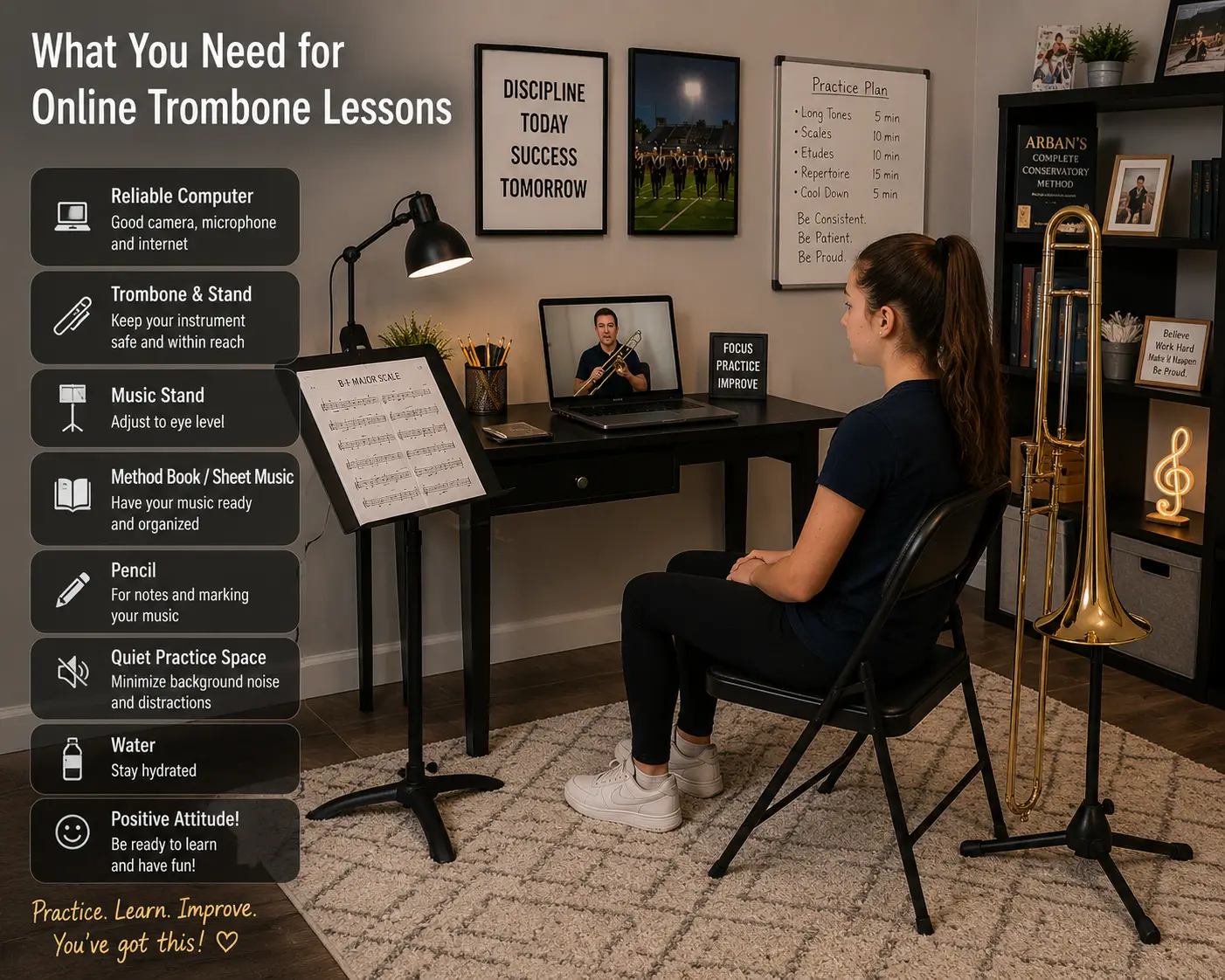
What You Need for Online Trombone Lessons
One of the biggest misconceptions about online music instruction is that students need expensive equipment.
Most do not.
A successful online trombone lesson setup is usually simple.
The basic requirements include:
- Reliable internet
- Computer or tablet
- Camera placement
- Functional audio
- Comfortable practice space
- Essential lesson materials
Let us look at each item more closely.
For a simple overview of the essential equipment needed for lessons, see What Equipment Do You Need for Trombone Online Lessons?
1. A Reliable Internet Connection
Internet quality is often the foundation of successful online lessons.
While perfect internet is not necessary, a stable connection makes communication smoother and more enjoyable.
Why Internet Speed Matters
Online lessons involve two-way audio and video communication.
When internet performance is weak, students may experience:
- Frozen video
- Audio delays
- Broken sound
- Lag
- Unexpected disconnections
These interruptions can make musical instruction difficult.
For example, rhythmic playing and musical demonstrations depend on consistent communication.
Recommended Internet Speeds
Most homes already have adequate internet service for online lessons.
Here is a simple guideline:
| Activity | Suggested Speed |
|---|---|
| Minimum | 10 Mbps |
| Recommended | 25+ Mbps |
Speed is important, but connection stability matters just as much.
Wi-Fi or Wired Connection?
Wi-Fi works well for many students.
However, if your internet connection is inconsistent, a wired Ethernet connection may provide greater stability.
This is especially helpful when:
- Multiple devices share internet
- Streaming services are active
- Wi-Fi signals are weak
You do not need to become a technology expert. Sometimes simple adjustments make a significant difference.
Quick Internet Troubleshooting Tips
If lessons freeze or lag, try:
- Restarting your router
- Moving closer to Wi-Fi
- Closing unused apps
- Pausing streaming devices
- Disconnecting unused devices
These small steps often solve common connection problems.
2. Choosing the Right Device
Many students ask whether they need a special computer for online lessons.
The answer is usually no.
Most modern devices work well.
However, some devices provide a better learning experience than others.
Laptop or Desktop Computer
For most students, a laptop or desktop computer is the best choice.
Advantages include:
- Larger screen
- Stable camera placement
- Easier music viewing
- Better multitasking
- Stronger lesson visibility
Larger screens make it easier to:
- Read music
- View demonstrations
- Follow teacher instruction
- Share educational materials
In many cases, this creates the smoothest lesson experience.
Tablets
Tablets are also popular.
They are portable and simple to use.
Many students successfully take lessons using tablets such as iPads.
However, tablets may present a few challenges:
- Smaller screens
- Limited positioning options
- Camera angle difficulties
These problems are usually manageable with careful setup.
A tablet stand can often improve positioning.
Smartphones
Phones can work when necessary.
However, they are generally the least ideal choice.
Common problems include:
- Small screens
- Limited visibility
- Difficult camera placement
- Reduced music viewing space
For occasional use, a phone may be sufficient.
For regular instruction, larger devices usually provide a better experience.
My Recommendation
If possible, I generally recommend:
- Laptop or desktop
- Tablet
- Smartphone
The goal is not perfection.
The goal is creating a setup that allows clear communication and comfortable learning.
3. Camera Placement for Trombone Lessons
Camera placement is one of the most important parts of an online trombone lesson setup.
A strong camera angle helps your teacher observe technique and provide meaningful instruction.
Fortunately, setup is usually simple.
What Teachers Need to See
During lessons, I typically need to observe several areas at once.
These include:
- Face
- Embouchure
- Trombone position
- Slide arm
- Upper body posture
- Breathing motion
If these areas are not visible, teaching becomes more difficult.
This is particularly important for younger and beginning students.
The Best Camera Angle
In most situations, a front-side angle works best.
This means:
- Camera slightly off center
- Upper body visible
- Trombone fully in frame
- Slide movement visible
This angle allows the teacher to see both playing mechanics and musical expression.
It also gives students room to move naturally.
Avoid These Common Camera Problems
Poor camera placement is one of the most common lesson setup issues.
Avoid:
Camera Too Low
Low angles may show the ceiling more than the student.
Camera Too Close
The teacher may only see your face or bell.
Extreme Side View
Important details become difficult to observe.
Cropped Trombone
Slide movement must remain visible.
Simple adjustments usually solve these problems.
Camera Height Matters
Ideally, the camera should be:
- Near eye level
- Stable
- Securely positioned
Avoid holding devices by hand.
A stable camera creates a calmer and more professional lesson environment.
4. Audio and Sound Quality
Sound quality matters greatly in online trombone instruction.
The good news is that professional studio equipment is not required.
In many cases, built-in microphones work surprisingly well.
Built-In Microphones Usually Work
Many laptops, tablets, and phones include microphones that are perfectly acceptable for lessons.
This is encouraging for beginners.
You do not need expensive equipment to get started.
However, microphone placement still matters.
Trombone produces strong sound energy.
If the bell points directly at a microphone from close range, audio distortion may occur.
This can create harsh or unclear sound.
Common Audio Problems
Some students experience:
- Distortion
- Clipping
- Volume spikes
- Muffled sound
- Echo
Fortunately, these issues are usually easy to improve.
Improving Sound Quality
Try these simple adjustments:
- Sit several feet from device
- Avoid bell directly at microphone
- Lower device volume if needed
- Test sound before lesson
- Reduce room noise
Many students find that sitting four to eight feet from the microphone works well.
This allows the trombone to sound more natural.
Do You Need an External Microphone?
This is one of the most common questions students ask.
The short answer:
No.
Beginners do not need an external microphone.
Online trombone lessons can be very successful using standard devices.
However, some advanced students may choose to upgrade.
Benefits of External Microphones
USB microphones may provide:
- Greater clarity
- Better tone detail
- Improved dynamic response
These improvements can be helpful for:
- Advanced students
- Recording projects
- Audition preparation
Still, microphones are optional—not essential.
A comfortable and reliable setup matters far more than expensive equipment.
Creating Your Trombone Practice Space
A successful online trombone lesson setup involves more than technology. Your physical environment also affects how well you play, focus, and learn.
As a professional trombonist and teacher, I have found that students learn best when their lesson space feels organized, comfortable, and free from unnecessary distractions.
The goal is not to build a professional studio.
Instead, you want a simple space that allows you to play comfortably and communicate clearly.
A thoughtful practice setup can improve:
- Concentration
- Sound quality
- Posture
- Lesson efficiency
- Musical confidence
Many students already have everything they need.
With a few adjustments, almost any room can become an effective online trombone lesson space.
Choose a Quiet Room
One of the first things to consider is noise.
Background noise may seem minor, but it can interfere with both teaching and listening.
Trombone lessons involve careful musical communication. Teachers need to hear tone, articulation, and phrasing clearly. Likewise, students need to hear demonstrations and instructions without distractions.
Whenever possible, choose a room that is relatively quiet.
Common distractions include:
- Television
- Household conversations
- Pets
- Loud appliances
- Gaming systems
- Music playing in another room
A quieter environment helps everyone stay focused.
This does not mean your room must be perfectly silent.
Real homes have normal activity.
However, reducing unnecessary noise creates a better learning experience.
Shared Homes and Family Spaces
Many students take lessons in busy households.
If this sounds familiar, a few simple strategies may help:
- Close doors
- Inform family members about lesson time
- Turn off television or streaming devices
- Silence phones and notifications
- Choose a consistent lesson location
Consistency is helpful.
When students use the same space regularly, setup becomes easier and lessons begin more smoothly.
Lighting Matters More Than You Think
Lighting is often overlooked, yet it plays an important role in online instruction.
A teacher must be able to see clearly in order to provide meaningful feedback.
During lessons, I often observe:
- Embouchure formation
- Facial tension
- Air support
- Posture
- Instrument position
Poor lighting makes these details difficult to evaluate.
Fortunately, improving lighting is usually simple.
Best Lighting for Online Trombone Lessons
Good lighting should illuminate your face and upper body.
The easiest setup is often:
- Window in front of you
- Lamp near the camera
- Light directed toward the player
This arrangement allows the teacher to see important playing details clearly.
Natural light works especially well when available.
However, lamps can be equally effective.
The goal is visibility rather than perfection.
Avoid Backlighting
Backlighting is one of the most common mistakes.
This happens when:
- Bright windows sit behind you
- Strong lamps are behind the player
- The camera faces bright light sources
When this occurs, the student may appear dark or shadowed.
Facial details become difficult to see.
A simple adjustment of furniture or camera position usually solves the problem.
Helpful Lighting Tips
Consider these simple guidelines:
- Light should face you
- Avoid dark corners
- Test lighting before lessons
- Make sure your face is visible
Small improvements can make a surprisingly large difference
Music Stand Placement
Music stand placement may not sound important, but it affects both posture and visibility.
Poor stand placement can lead to:
- Neck strain
- Slouching
- Twisting
- Camera obstruction
- Reduced breathing efficiency
A properly positioned stand encourages healthier playing habits.
As a teacher, I often remind students that posture and setup work together.
If your stand forces uncomfortable movement, playing may become more difficult.
Ideal Music Stand Position
Your music stand should be:
- Comfortable to read
- Slightly below eye level
- Easy to access
- Visible without excessive head movement
The goal is natural reading posture.
You should not need to bend sharply or twist awkwardly.
This setup supports healthier breathing and better trombone position.
If you are working on posture fundamentals, you may also enjoy reading:
Trombone Posture Guide for Beginners
Avoid Blocking the Camera
Another common issue occurs when music stands block the student from view.
During online lessons, teachers need to see:
- Face
- Instrument position
- Upper body
- Breathing motion
If the stand hides these areas, instruction becomes more difficult.
Try placing the stand where:
- Music remains easy to read
- Camera still sees your upper body
- Trombone stays visible
This often requires small adjustments rather than major changes.
Chair and Seating Setup
Your chair may affect playing more than you realize.
Comfort matters, but posture matters too.
Many students unintentionally choose seating that limits breathing and movement.
As a teacher, I encourage students to use chairs that support healthy playing position.
The Best Chair for Online Trombone Lessons
A good chair is usually:
- Armless
- Firm
- Stable
- Comfortable
- Free from excessive padding
Chairs without wheels often work best.
Stable seating allows students to focus on playing rather than balance.
Flat feet on the floor also support posture and breathing.
Chairs to Avoid
Some furniture creates unnecessary challenges.
These include:
Recliners
Soft cushions encourage slouching.
Sofas
Breathing and posture often suffer.
Rolling Chairs
Movement may create instability.
Deep Cushioned Seating
Students may sink backward.
These options are comfortable for relaxing but usually less helpful for playing trombone.
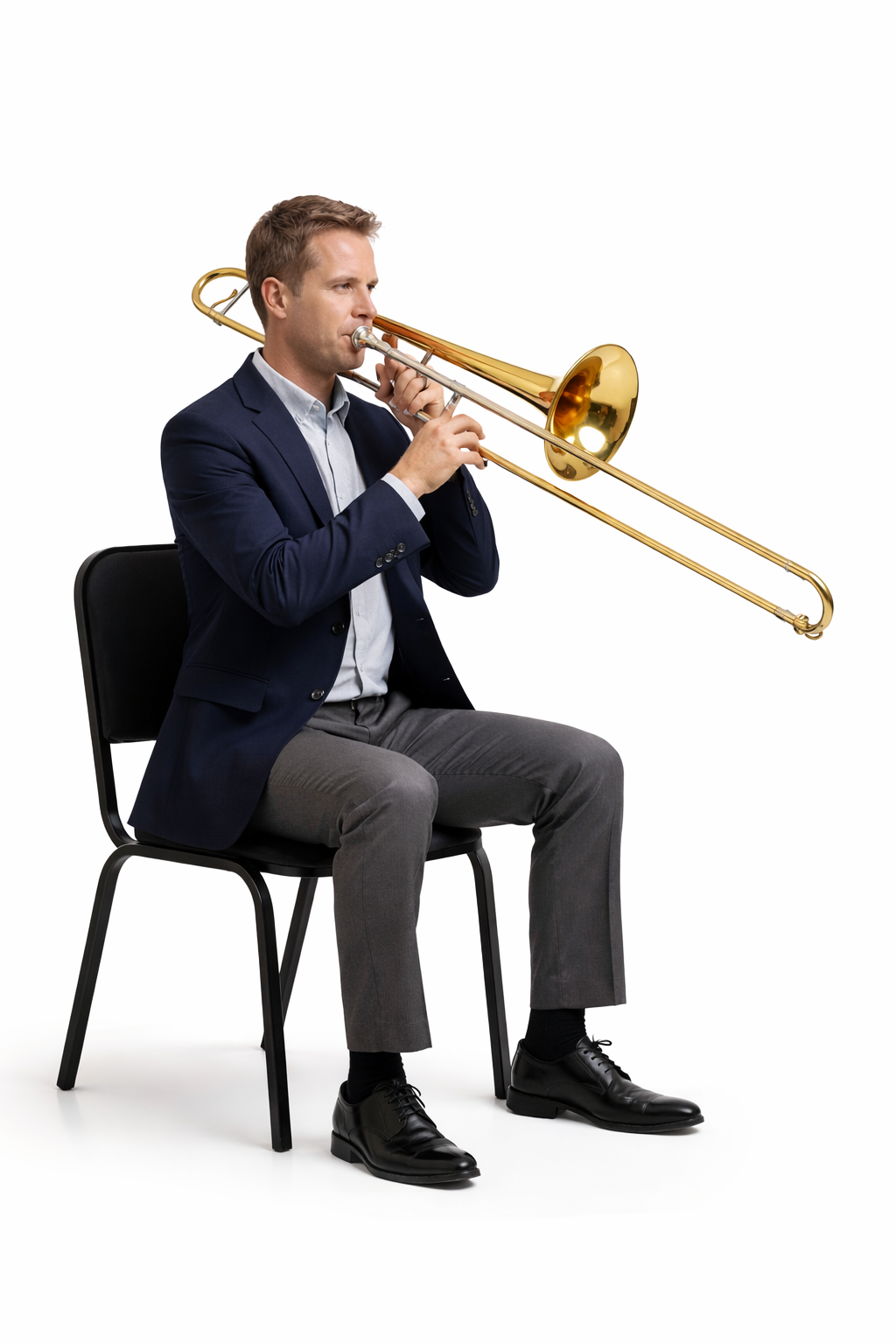
Proper Sitting Position
During lessons, I encourage students to sit with:
- Feet flat
- Back comfortably upright
- Bell facing forward
- Body balanced
To avoid using the back of the chair, I encourage sitting near the front edge of the chair.
This helps:
- Better breathing
- Improved posture
- Greater freedom of movement
Posture remains one of the most important foundations of trombone playing.
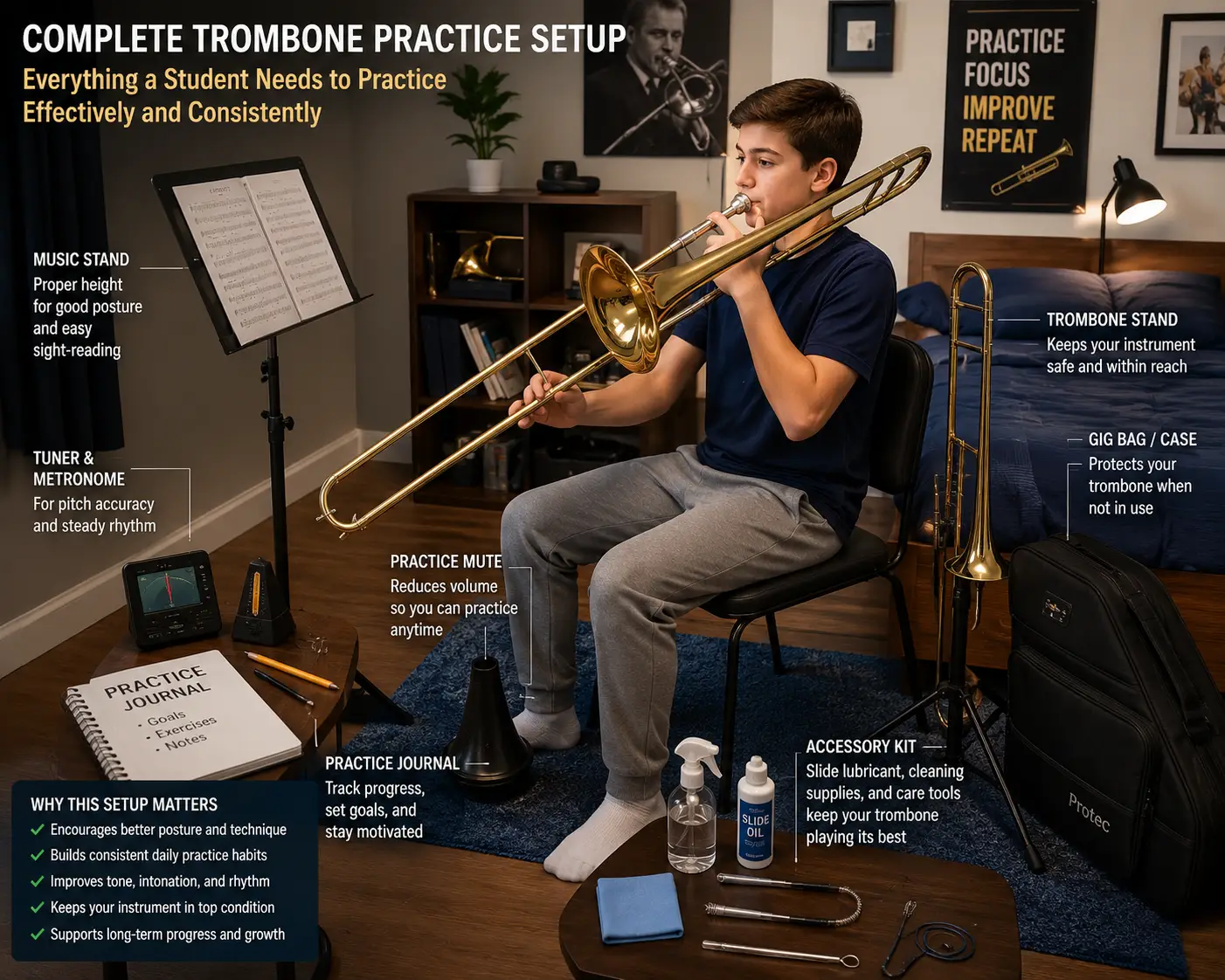
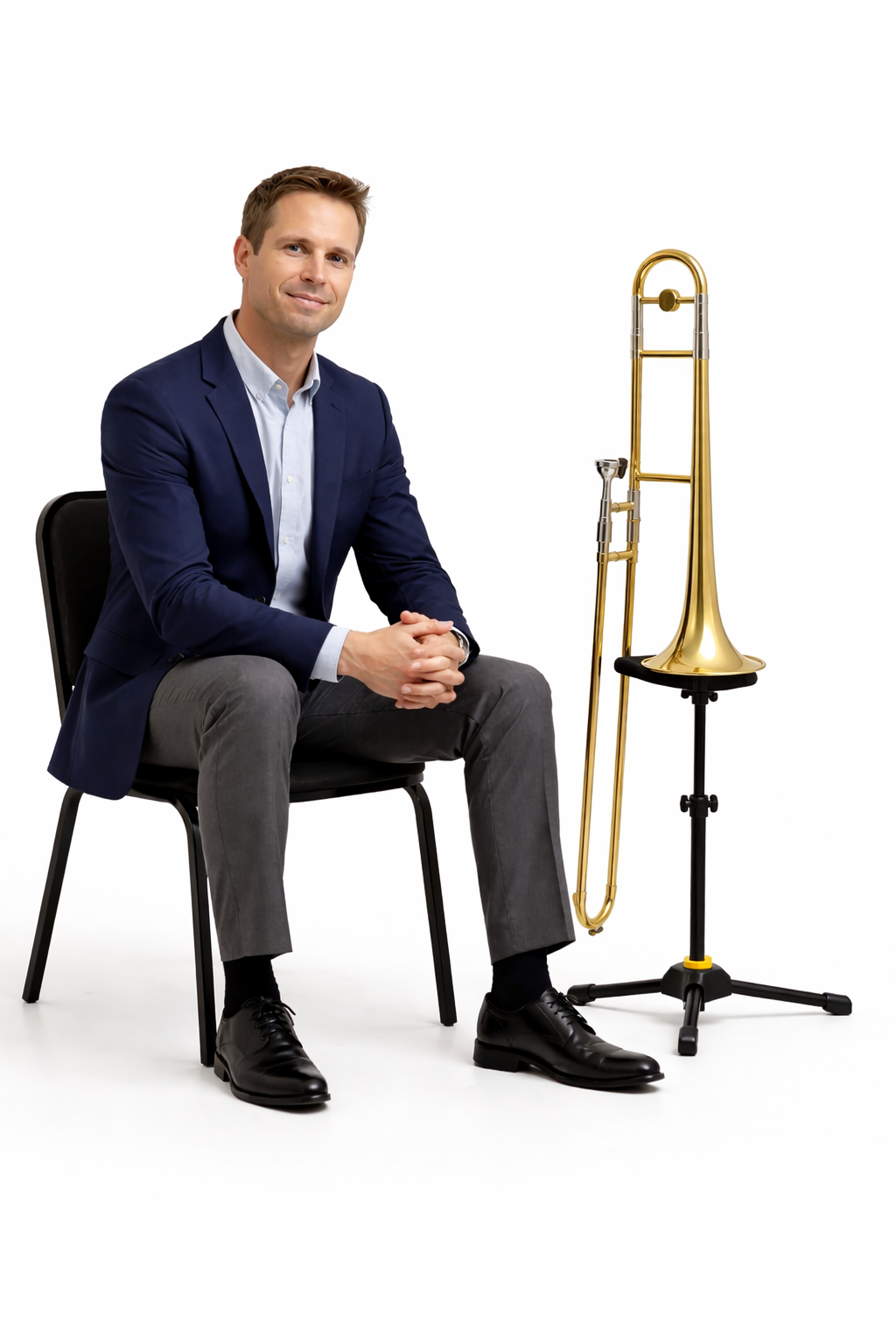
Keep Your Trombone on a Stand
Organization contributes to smoother lessons.
One simple way to improve organization is using a trombone stand.
A stand is not mandatory, but it can be very helpful.
Benefits of a Trombone Stand
A trombone stand allows students to:
- Protect the instrument
- Transition quickly
- Stay organized
- Reduce accidents
Instead of balancing the instrument on furniture or resting it in unsafe locations, the trombone remains secure and accessible.
This becomes especially useful during:
- Lesson discussions
- Music adjustments
- Water breaks
- Equipment changes
Is a Trombone Stand Required?
No, but I highly recommend using one.
Many students simply place the trombone safely in its case between activities.
However, stands can add convenience and peace of mind.
They may also encourage stronger practice habits by making the instrument easier to access.
Lesson Materials to Keep Nearby
Good preparation reduces interruptions.
Before your lesson begins, gather essential materials so everything remains within easy reach.
This helps preserve lesson flow and keeps attention focused on music.
A simple checklist works well.
Trombone and Mouthpiece
This may sound obvious, yet preparation matters.
Before lessons:
- Assemble the instrument
- Check slide movement
- Confirm the mouthpiece is ready
- Make sure the trombone is clean and functional
Avoid spending lesson time searching for missing equipment.
If you are exploring mouthpiece questions, these articles may help:
Pencil and Notebook
Teachers still value pencils.
Even in digital lessons, written notes remain useful.
Students may record:
- Slide positions
- Practice reminders
- Assignments
- Musical observations
- Questions for future lessons
A notebook creates continuity between lessons and supports independent practice.
Tuner and Metronome
These tools are valuable for developing strong musicianship.
As a teacher, I encourage students to use both regularly.
A tuner helps with:
- Pitch awareness
- Intonation development
- Listening skills
A metronome supports:
- Rhythm
- Timing
- Tempo control
- Consistency
Apps work very well for many students.
Dedicated devices are also effective.
The most important factor is consistent use.
Related articles may include:
Printed Music or Digital Music
Students often ask whether printed or digital music is better.
Both approaches work.
The best choice depends on learning style and preference.
Printed Music
Advantages include:
- Easy marking
- Familiar reading experience
- Less screen switching
Many students still prefer paper music.
Digital Music
Digital music offers:
- Convenience
- Organization
- Portability
- Easy sharing
Screen sharing can also be useful during online lessons.
Some students use a combination of both formats.
Choose the system that helps you remain organized and comfortable.
How to Prepare Before Your Online Trombone Lesson
A strong online trombone lesson setup involves more than equipment and room arrangement. Preparation also matters.
Students who prepare before lessons often feel more confident and accomplish more during instruction.
As a professional trombonist and teacher, I have found that a few simple habits can make lessons smoother and more productive.
Preparation does not need to be complicated.
The goal is simply arriving ready to learn and ready to play.
Warm Up Before the Lesson
This is one of the most important parts of successful online lessons.
As a professional trombonist and teacher, I ask students to warm up before their lesson for several reasons.
First, every student is different.
Some students warm up quickly. Others need more time to feel comfortable and responsive on the instrument.
Second, lesson time is valuable.
I believe lesson time should focus primarily on instruction, musical development, and problem solving rather than spending a large portion of the lesson warming up.
When students arrive prepared, we can begin working immediately on:
- Tone
- Technique
- Music
- Breathing
- Articulation
- Performance skills
This creates a more focused and productive learning experience.
What Should a Warmup Include?
Warmups vary from student to student.
However, many players benefit from including:
- Breathing exercises
- Mouthpiece buzzing
- Long tones
- Lip slurs
- Gentle flexibility work
- Easy scales
The goal is not exhaustion.
The goal is becoming physically and mentally ready to play.
If you would like help building a warmup routine, these resources may help:
Test Technology Before the Lesson
Few things interrupt a lesson more than avoidable technology problems.
Fortunately, most problems can be prevented with a quick check.
A few minutes of preparation may save valuable lesson time.
Before your lesson begins:
✓ Open Zoom or lesson platform
✓ Test audio
✓ Check camera angle
✓ Confirm internet connection
✓ Silence notifications
✓ Gather music and supplies
✓ Plug in devices if needed
These habits create smoother lesson starts and reduce stress.
Many students find that using the same routine each week builds confidence.
Join a Few Minutes Early
Punctuality supports better lessons.
I often encourage students to join several minutes early whenever possible.
This provides time to:
- Solve technical issues
- Adjust sound or camera
- Organize music
- Settle into the lesson environment
Rushing often creates unnecessary tension.
A calm beginning allows students to focus more completely.
Even two or three minutes can make a difference.
If you’re preparing for your first lesson, see How to Prepare for Your First Online Trombone Lesson for a complete step-by-step guide.
Common Online Trombone Lesson Setup Mistakes
Even experienced students occasionally make setup mistakes.
Fortunately, most are easy to correct.
Here are some of the most common problems I see.
Camera Too Close
This is extremely common.
When the camera sits too close, teachers may only see:
- Face
- Bell
- Partial trombone
Important information becomes hidden.
Slide movement and posture are often difficult to evaluate.
Easy Fix
Move farther back.
Your teacher should generally see:
- Face
- Upper body
- Trombone position
- Slide movement
Small adjustments often solve the problem.
Poor Lighting
Dark rooms make instruction more difficult.
If lighting is weak, teachers may struggle to observe:
- Embouchure
- Facial tension
- Breathing
- Posture
This limits visual feedback.
Easy Fix
Place light in front of you rather than behind.
Simple lamps often work very well.
Playing Too Close to the Microphone
Trombone produces powerful sound.
When students play directly into microphones at close range, distortion may occur.
This can create:
- Harsh audio
- Clipping
- Unclear tone
Easy Fix
Increase distance between the bell and microphone.
Many students sound more natural several feet away.
Avoid aiming the bell directly at the device.
Unprepared Lesson Space
Disorganization wastes time.
Searching for music, assembling the trombone, or locating supplies during lessons interrupts momentum.
Easy Fix
Prepare beforehand.
Gather:
- Music
- Pencil
- Tuner
- Trombone
- Lesson materials
A prepared workspace encourages smoother instruction.
Ignoring Posture and Setup
Technology matters, but musicianship matters too.
Some students focus so heavily on screens and equipment that posture suffers.
Poor posture may lead to:
- Tension
- Restricted breathing
- Reduced tone quality
- Physical discomfort
Remember that setup should support playing rather than interfere with it.
Proper posture remains essential.
Frequently Asked Questions About Online Trombone Lesson Setup
These questions are common among students considering online lessons.
Can I Take Trombone Lessons on an iPad?
Yes.
Many students use iPads successfully.
Tablets are portable and convenient.
However, camera placement and screen size require some planning.
A stand often helps.
Whenever possible, make sure the camera clearly shows:
- Face
- Trombone
- Upper body
- Slide movement
Do I Need Zoom for Online Trombone Lessons?
Many teachers use Zoom because it is familiar and easy to access.
However, other platforms may also work.
The important factor is reliable audio and video communication.
Before lessons begin, confirm which platform your teacher prefers.
Can Beginners Learn Trombone Online?
Absolutely.
Beginners can learn successfully online when instruction is clear and setup supports communication.
In fact, online lessons often allow teachers to:
- Demonstrate closely
- Share resources
- Observe technique
- Provide individualized instruction
A supportive learning environment matters more than physical distance.
Do I Need Expensive Equipment?
No.
This is one of the biggest misconceptions about online lessons.
Most students already own what they need.
A successful setup usually requires:
- Internet
- Device
- Camera
- Comfortable practice space
Professional recording equipment is optional.
Simple setups often work extremely well.
How Far Should I Sit From the Camera?
There is no single perfect distance.
However, many students do well when the camera captures:
- Face
- Upper body
- Trombone
- Slide movement
Experiment slightly and test visibility before lessons.
Your teacher can also provide guidance.
What If My Internet Is Slow?
Slow internet does not always prevent lessons.
Simple adjustments may help:
- Move closer to Wi-Fi
- Restart router
- Close unused programs
- Reduce internet traffic
If problems continue, discuss options with your teacher.
Many issues have manageable solutions.
Should I Use Headphones?
Usually, headphones are not necessary.
Many students use device speakers successfully.
However, some situations may benefit from headphones, including:
- Noisy environments
- Feedback problems
- Shared spaces
Comfort and sound clarity should guide the decision.
Final Thoughts on Online Trombone Lesson Setup
A successful online trombone lesson setup is usually much simpler than people expect.
You do not need professional studio equipment or advanced technology.
Instead, focus on building a comfortable and organized environment that supports musical learning.
As a professional trombonist and teacher, I have seen online lessons help students:
- Build confidence
- Improve technique
- Strengthen musicianship
- Develop consistent practice habits
- Enjoy learning from home
When students prepare thoughtfully, online lessons can be highly effective and rewarding.
Ready to Learn Trombone Online?
Whether you are a complete beginner, a middle or high school student, or an adult returning to the instrument, online lessons can provide personalized instruction and musical guidance.
My goal as a teacher is to help students develop strong fundamentals, confident playing habits, and lasting enjoyment of music.
Private online lessons may include:
- Beginner instruction
- Tone development
- Technique
- Breathing
- Music reading
- Audition preparation
- Musical interpretation
ONLINE TROMBONE LESSONS – Learn Anywhere with a Private Trombone Teacher
About the Author
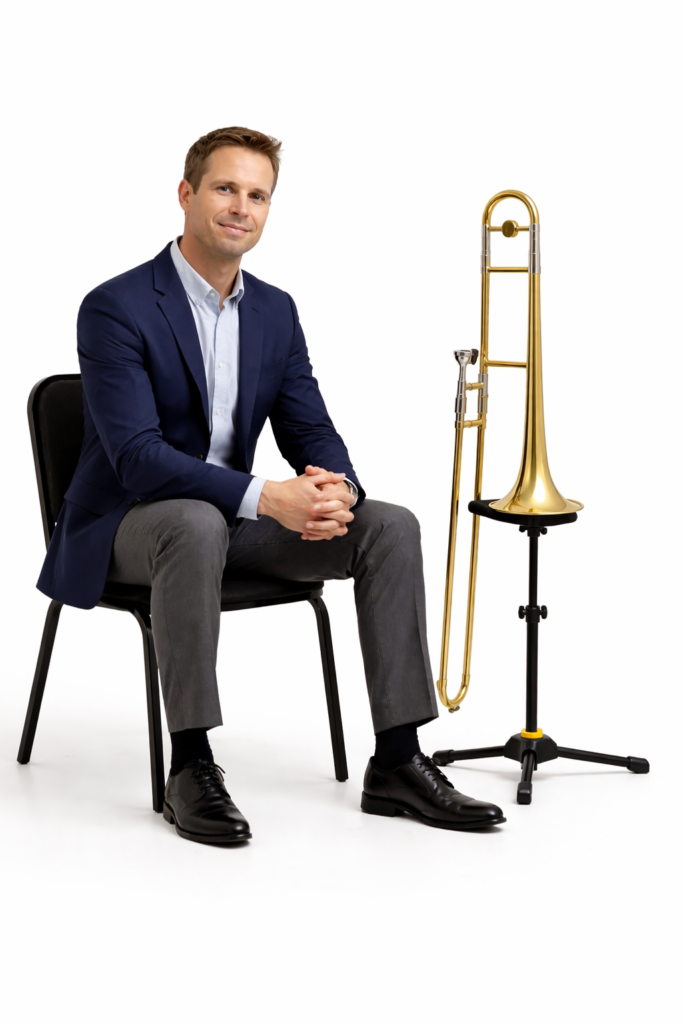
Rick Lawrence is a music educator, conductor, professional trombonist, and private instructor with more than 40 years of playing and teaching experience. He has performed with orchestras, jazz ensembles, brass bands, and pit orchestras, and studied with John Coffey of the Boston Symphony Orchestra, Donald Knaub of the University of Texas, and Edward J. Madden – trombonist, composer and arranger. Through The Trombone Mentor, Rick provides online trombone lessons and educational resources for beginner, intermediate, and advanced trombonists.